
MENU
MENU
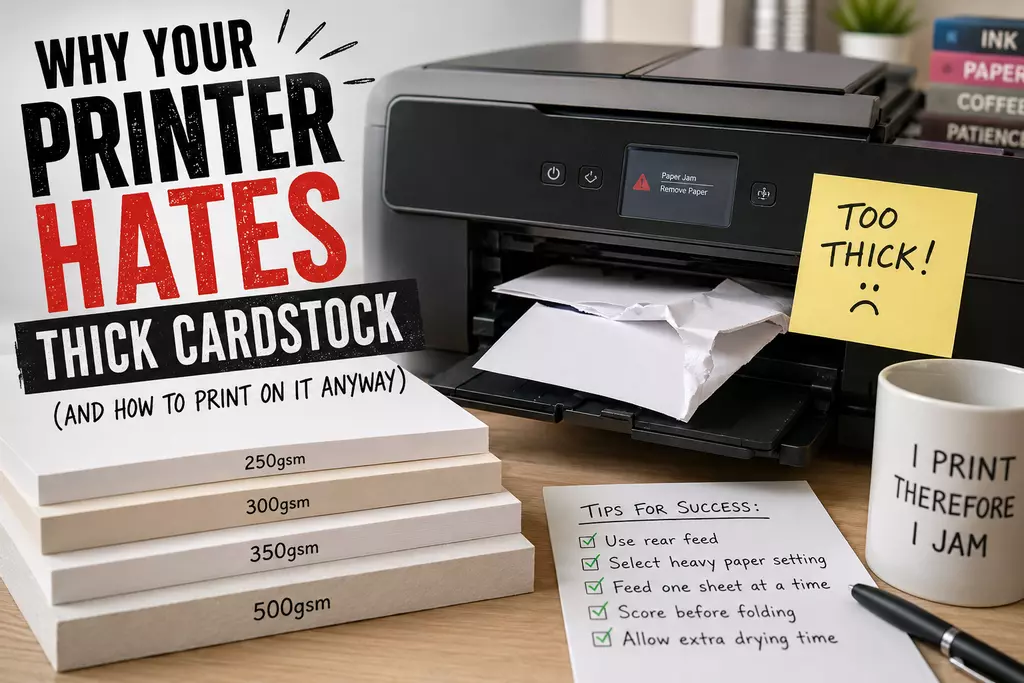
If that sounds familiar, you’re not alone.
Printing on thicker cardstock can produce brilliant results, but it also reveals a harsh truth: many printers are far less enthusiastic about heavyweight card than their marketing departments would like you to believe.
The good news? Most printing problems can be improved once you understand what your printer is actually struggling with.
GSM stands for grams per square metre, and it’s the standard way paper and card thickness is measured.
In simple terms:
Standard office printer paper is usually around 75–90gsm.
Greeting cards, invitations and business cards are usually much heavier.
As a rough guide:
| Weight | Typical Use |
|---|---|
| 130gsm | Flyers, brochures, silk paper |
| 250gsm | Light greeting cards, craft projects |
| 300gsm | Premium card blanks and invitations |
| 350gsm | Heavyweight cards and covers |
| 500gsm | Very thick cardstock and rigid craft applications |
The problem is that printers don’t just care about weight. They also care about flexibility, coating, surface texture, moisture, and how sharply the paper has to bend inside the machine.
Which is where the trouble begins.
For many decent home printers, 250gsm smooth white card is the sweet spot.
It’s thick enough to feel premium, but still flexible enough for most printers to feed reasonably well.
Products like 250gsm Smooth White A4 Craft Card are often manageable on home inkjet and laser printers, particularly if you feed one sheet at a time, use a rear feed tray, and select a heavier media setting in the printer options.
That said, even at 250gsm, some printers will suddenly behave like you’ve attempted to feed them a paving slab.
Consumer printers can be surprisingly dramatic.
Once you move into 300gsm cardstock, printers start separating themselves into two categories:
This is where many people discover that:
“Supports media up to 300gsm”
often means:
“Under ideal laboratory conditions during a full moon.”
Thicker stock requires stronger feed rollers, a straighter paper path, and enough motor power to pull stiff sheets through without slipping.
Something like 300gsm Smooth White A4 Craft Card can produce excellent results, but home printers vary massively.
Rear-feed trays usually perform much better than front-loading cassette trays because the card bends less aggressively during printing.
That bend matters more than most people realise.
Another common surprise with heavier cardstock is cracking along folds.
This happens because thick paper fibres compress and separate when bent sharply, particularly on coated or heavily compressed stock.
The thicker the card, the more noticeable the cracking can become.
This is especially common with 300gsm+, coated stock, darker colours, and heavily printed designs.
Scoring before folding helps enormously because it creates a controlled crease rather than forcing the fibres to split unpredictably.
In other words: your card isn’t necessarily faulty. It’s just physics being awkward again.
350gsm cardstock is where many standard home printers begin questioning their career choices.
Products like 350gsm Smooth White A4 Craft Card can still work beautifully in the right machine, but success rates become much more printer-dependent.
At this weight, straight paper paths become extremely important, feed rollers may struggle for grip, and some printers simply refuse to cooperate entirely.
You may also notice slower drying, slight skewing, or inconsistent feeding.
This doesn’t necessarily mean your printer is bad. It just means it was probably designed primarily for ordinary office paper rather than heavyweight craft card.
Then we arrive at 500gsm Smooth White A4 Heavy Cardstock, which is less “paper” and more “small piece of furniture.”
At this thickness, most standard home printers simply aren’t designed to cope.
Some specialist printers can manage very heavy stock, but for most domestic machines, 500gsm is beyond their comfort zone.
That doesn’t make heavyweight card useless — far from it. It’s excellent for luxury packaging, rigid card projects, signage, covers, and premium craft applications.
Just don’t expect your average home printer to welcome it with open rollers.
Thickness isn’t the only thing affecting print performance.
Surface finish matters just as much.
Smooth uncoated card is generally easier for home printers because ink can absorb into the fibres more naturally.
Coated stocks — like silk or gloss paper — behave differently.
For example:
are designed primarily for laser and digital printing rather than standard home inkjet printers.
Inkjet ink often struggles to dry properly on coated silk surfaces, which can lead to smudging, streaking, slow drying, or poor print quality.
If you’ve ever printed something beautiful only to immediately smear it with your thumb like a crime scene investigator, coated stock is probably involved.
We covered this in more detail here: Why Silk Paper Smudges on Inkjet Printers (And How to Avoid It).
As a general rule:
Usually better for photos, vibrant colour work, and lighter uncoated cardstock.
But they can struggle with coated stock, slow drying, and very thick media.
Usually better for sharper text, coated media, silk stock, and faster drying.
But heat can curl some papers, and very thick card may still jam depending on the feed path.
Neither system is perfect. Printers, much like people, all have their quirks.
If your printer is struggling, these small changes can genuinely help:
And perhaps most importantly: don’t trust every “supports up to 350gsm” claim at face value.
Printer manufacturers are sometimes optimistic creatures.
Printing on thick cardstock at home is absolutely possible, but there’s a big difference between:
“technically supported”
and
“works smoothly without making you reconsider your life choices.”
Understanding how thickness, coating and printer design interact makes the process far less frustrating.
And if nothing else, remember: if your printer occasionally refuses to feed cardstock for no obvious reason, you’re probably not doing anything wrong.
Some printers simply enjoy chaos.
Some can, some can’t. Rear-feed printers with straighter paper paths generally perform much better than standard front-loading machines.
For many standard printers, yes — or at least unreliable. Higher-end printers often cope much better.
Silk paper has a coated surface that prevents normal ink absorption. Inkjet ink can sit on top of the coating and smear before drying.
Thick fibres separate under pressure when bent sharply. Scoring before folding helps reduce visible cracking.
Usually not on standard home printers. Most domestic machines are not designed for cardstock that thick.