
MENU
MENU
Cookie Privacy Preferences
We utilize essential cookies to ensure our website operates effectively and remains secure. Additionally, we'd like to request your permission to use optional cookies. These are intended to enhance your browsing experience by offering personalized content, displaying advertisements that are relevant to you, and helping us to further refine our website.
Choose "Accept all cookies" to agree to the use of both essential and optional cookies. Alternatively, select "Let me see" to customize your preferences.
Privacy Preference Centre
Our website utilizes cookies to enhance your browsing experience and to present you with content tailored to your preferences on this device and browser. Below, you will find detailed information about the function of cookies, enabling you to make informed choices about which cookies you wish to accept. Please note that disabling certain cookies might impact your user experience on our site. It's important to remember that cookie preferences need to be set individually for each device and browser you use. Clearing your browser's cache may also remove your cookie settings. You have the freedom to modify your cookie preferences at any point in the future.
For a comprehensive understanding of our use of cookies, please refer to our complete cookies policy.
These cookies are needed for the website to work and for us to fulfil our contractual obligations. This means they can't be switched off. They enable essential functionality such as security, accessibility and live chat support. They also help us to detect and prevent fraud. You can set your browser to block or alert you about these cookies, but it means some parts of the site won't work.
These cookies allow us to measure and improve the performance of our site. They help us to know how popular pages are, and to see how visitors move around the site. If you don't allow these cookies, we won't know when you've visited our site, and we won't be able to monitor its performance.
These cookies enable us to provide enhanced functionality and personalisation. They may be set by us or by third party providers whose services we've added to our pages. If you don't allow these cookies, some or all of these services may not work properly.
These cookies collect information about your browsing habits to show you personalised adverts. They may be used to build a profile of your interests and show you relevant adverts on other sites. They don't store directly personal information, but are based on uniquely identifying your browser and internet device. If you don't allow these cookies, the adverts you see will be less relevant.
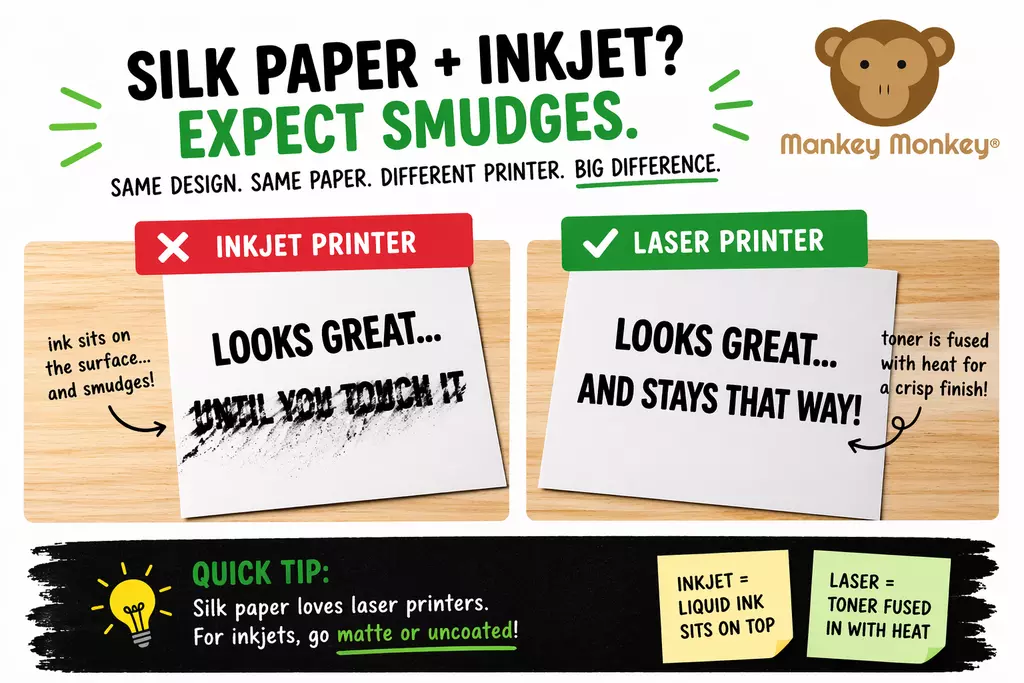
Important: Silk paper is not suitable for inkjet printers — it will smudge.
Ever printed something that looked brilliant… right up until you touched it and turned it into a smudgy disaster?
If you’ve tried using silk paper with an inkjet printer, you’ve probably run into this exact problem.
Let’s save you the frustration (and a few choice words).
Silk paper (also known as satin paper) has a smooth, coated finish designed to give:
It’s commonly used for brochures, flyers, menus, and anything where you want a polished finish rather than that “printed it at home in a rush” vibe.
Here’s the simple version:
So instead of drying nicely, it just sits on top… waiting for your finger to come along and ruin everything.
That’s why you get:
It’s not a fault with the paper—it’s just the wrong pairing.
Laser (or digital) printers take a completely different approach:
So instead of sitting on the surface, it bonds to it.
Result:
Exactly what silk paper is designed for.
If you remember nothing else, remember this:
Simple as that.
If you’re using an inkjet printer, don’t fight it—use a paper that actually works with it.
Matte or uncoated card is designed to absorb ink properly, giving you:
Shop Inkjet-Friendly White Craft Card & Paper
These are made for general printing, crafting, and everyday use across a wide range of sizes and weights, so you can match your printer without the drama.
If you’re on a laser printer, stick with silk and enjoy the upgrade.
Silk paper isn’t “bad.” Inkjet printers aren’t “bad.”
They’re just not a great match—like trying to toast bread with a hairdryer.
Get the pairing right, and your prints will look exactly how you imagined… instead of like they’ve been through a minor accident.
You can try—but smudging is very likely due to the coated surface.
Laser or digital printers will give you the best results.
Matte or uncoated paper/card, which absorbs ink properly and dries quickly.